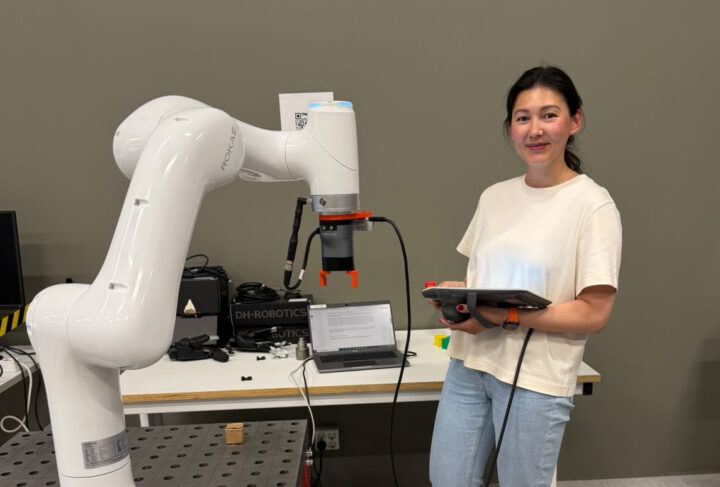
Summer internship diary: object detection and adaptive grasping
Well, another month has passed since my first post, and it’s time to share the results of my internship. I feel that this month hasn’t been as productive as the first few weeks. But on the other hand, I’ve realised that learning isn’t a linear process, but rather a curved line with its own highs, lows, and periods of stagnation.
In my first post, I mentioned that I’d started developing intelligent grasping.
The first thing I worked on was determining contact with an object. The idea was that the object’s x and y coordinates were specified, but the robot had to determine the height itself. The robot moves downwards, constantly checking the force along the z-axis until it reaches a certain threshold.
I spent a whole week on this task, trying out several approaches to solving it: from a simple implementation, where the robot moved in discrete steps, to using real-time control mode. Real-time control was a new feature in Python for my robot, so there was no detailed description in the documentation. I literally gathered information piece by piece from various sources. However, I couldn’t achieve the desired result, and by the end of the week, I realised I needed to go back to the other option I’d started with.
The following week, I spent time writing a guide for other students who would be working with the robot.
Writing a guide is, in a way, a skill. It’s one thing to know something, and quite another to be able to explain it clearly and simply. This requires a clear understanding of all the stages I had gone through. So, while writing the guide, I also went through the theory again and filled in the gaps in my knowledge.
During the whole week, I didn’t write a single line of code and didn’t make any progress with intelligent grasping, but I did learn how to write instructions that are clear, straightforward, and yet complete enough to be useful.
The next week, I continued working on the grasping. By then, the robot could determine the height of an object on its own, but the width was still fixed. Using data on the gripper’s state, I implemented adaptive grasping: the gripper’s jaws close until they detect an object.
So, the robot could grasp objects of different sizes, but it still didn’t know their location. It was time to move on to computer vision!
First, I 3D-printed a custom adapter to mount the camera on the robot. Once the camera was in place, I went through the documentation. I’d never worked with computer vision before (I will only take the Computer Vision course next year). After a week of trial and error, I managed to get the robot to detect and grasp an object.
Yes, the implementation isn’t perfect, and sometimes the robot is a few millimetres off. But even a small deviation affects the grasping. To help the robot handle these deviations, I was advised to increase the gripper’s stroke. Well, now I need to 3D-print some new jaws for the gripper.
That’s how my second month went. I have one more month left, during which I’m planning to finish writing the guide, complete the object detection and intelligent grasping, and prepare a demonstration, which I hope you’ll see in the final post.
You can see a short demonstration of the object detection and adaptive grasping here: [YouTube]